YouTube Shorts AI Avatar Generator Run a faceless Shorts channel with one recurring host.
One face. One voice. One recognizable AI host across every Short. AvatarFactory writes the script, renders the captioned vertical video, and keeps the same host coming back every single day. You get a recurring Shorts channel that posts and earns, not a folder of one-off clips. No camera, no studio, no editing.

$1 for 3 days. Cancel anytime. Host in about 5 minutes, first Short in about 3.

What Is a YouTube Shorts AI Avatar Generator?
A YouTube Shorts AI avatar generator builds a synthetic on-screen host and turns a script into a finished vertical Short. You design the face and voice once, and the same host fronts every video. AvatarFactory also writes the script and bakes in the captions, so you publish a recurring Shorts channel instead of one-off clips.
A YouTube Shorts AI avatar generator builds a virtual on-screen host from scratch and turns your words into a finished vertical video. You define the face, the voice, the niche, and the personality once, and the tool produces Shorts as that character. The host is fully synthetic. No actor, no camera crew, no on-camera talent. You own it outright, and you decide what it posts and how the channel earns.
Here is the distinction that matters, because it is where most tools quietly fall short. Plenty of products call themselves a Shorts generator and stop at a single video. They render a clip, and then the real work lands on you: write the next hook, build the caption, decide what to post tomorrow, and keep a face that nobody recognizes from one upload to the next. That grind is exactly why most faceless channels stall after a week. The first video is easy. The hundredth is the business, and nothing in those tools helps you get there.
There is also a second kind of tool worth naming: generic Shorts automation. It stitches stock footage under a robotic voiceover and calls it a faceless channel. It scales, but it builds nothing. There is no host to recognize, no character to subscribe to, and the same stock clips are sitting in a thousand other channels. Volume without identity is just noise in a feed that already moves too fast.
AvatarFactory sits in a different lane. It is built as a recurring content factory for short-form video. You build the host once, then the system writes the script, generates the voice, renders a captioned vertical 9:16 Short, and hands you a finished video in about three minutes. Do that daily and you have a working Shorts channel: the same face, the same voice, the same host, video after video. That is what turns scattered uploads into a channel, and a channel into an audience you can sell to.
So the honest definition is this. A YouTube Shorts AI avatar generator is the engine. A good one does not just make one talking clip. It runs the whole loop, from idea to script to captioned vertical video to a daily posting rhythm, with one recurring host holding it together, so the output is a content business you own, not a one-time render you have to figure out how to use.
Why a Recurring AI Host Beats One-Off Clips
Shorts is a recognition game. The feed moves fast and the algorithm rewards channels that get watched again, which means viewers have to remember who they watched. A locked host is what compounds; a fresh face or a faceless slideshow every video is what stalls.
A feed of strangers
- A new face every prompt, or stock footage with a robotic voiceover
- You write every hook, add the captions, and pick the next topic by hand
- No posting workflow, so the cadence dies after a week
- Nothing for a viewer to recognize, so nobody subscribes
- You upload clips, never a channel anyone follows
A channel with a host viewers know
- One face and one voice locked at setup, identical every Short
- The tool writes the hook and the script in your host’s voice
- Captions baked in, a publish-ready vertical Short out
- Then it does it again tomorrow, on a daily cadence
- The next episode of a channel that already looks like itself

Recognition is what compounds on Shorts. When the same host shows up every day with the same voice and the same point of view, three things happen. Viewers start to remember the channel and watch it again. The algorithm starts to learn who the channel is for and who to show it to. And the host becomes a brand you can put an offer behind. None of that happens when the face is different every time or there is no face at all.
The pattern holds across every short-form channel that actually earns. The rendering was never the hard part. The hard, valuable part is keeping one host consistent and shipping it on a cadence the feed can learn. That is the exact gap a recurring content factory closes, and it is the reason a locked host wins while a clip-by-clip tool stalls.
Build Your Host for $1Everything a Shorts Channel Needs in One Place
Most faceless creators stitch together five or six separate tools to run one channel. AvatarFactory is the one system that does all of it, from the host to the script to the posted Short.
One Recurring Host
The same face and voice in every Short, so the feed learns your channel and viewers subscribe to a host they recognize.
AI Script Writer
Pick a niche and the tool drafts the hook and the script, so the blank page that stalls most faceless channels is gone.
AI Video Generation
Turn a script into a vertical 9:16 Short in about three minutes, built for the Shorts feed with no footage to cut.
Captions Baked In
Every Short ships with captions added automatically, the format Shorts viewers expect, with no subtitle editor to open.
Publish From the System
Post your vertical video straight to Shorts, Reels, and TikTok without leaving AvatarFactory or juggling exports.
Knows What Is Working
Built-in trend intelligence tells you what short-form formats are working right now, so you always know what to post next.
How to Make Shorts With an AI Avatar
Five steps from an idea to a Shorts channel that posts daily. None of them involve a camera, an actor, or an edit suite.
Build the Recurring Host
Design one AI host and lock its face and voice. This is the creator that fronts every Short, so it is worth getting right once, and it takes about five minutes. From there the same character carries every video you publish, and you own the persona outright.
Generate the Script and Hook
Pick a niche or let the tool pull from what is working in short-form right now, and it drafts the hook and the script in your host’s voice. One clear idea per video, written to survive the first second of a fast feed. You read it, tweak a line if you want, and approve.
Render the Vertical Short
Your host performs the script in its locked voice, the captions are baked in automatically, and the tool outputs a publish-ready vertical 9:16 Short in about three minutes. No camera, no studio, no editing timeline, no footage to cut and no subtitles to type.
Upload Every Day
Publish to YouTube Shorts on a steady cadence, then repeat. Volume and consistency are what the Shorts algorithm rewards, and because each video takes minutes to produce, you can keep that rhythm without a crew, a camera, or burnout.
Grow and Monetize
Once the channel builds an audience that trusts the host, you put an offer behind it: a digital product, an affiliate link, the Partner Program ad share, or a brand you are the face of. The host built the recognition. The offer turns that recognition into income.
Niches That Work and How They Earn
A faceless Shorts channel is the front of a business, not the business itself. Here are the niches our creators run and the proven ways they turn views into income. Each one has its own playbook.

Sell Your Own Products
Finance, productivity, and self-improvement channels move fast on Shorts. The host warms a daily audience and a link to your ebook, course, or template does the rest. You own the product, so the margin is yours.
Sell digital products with AIRun Affiliate Offers
Product picks, tools, and review niches earn a cut for every sale you send. Short-form video is a strong top of funnel for affiliate income, and a trusted recurring host is what makes the recommendation land.
AI avatars for affiliate marketingStack Shorts Ad Revenue
Build the channel on a steady cadence, qualify for the YouTube Partner Program, and add the Shorts ad share on top of your own offers and sponsorships. The full income playbook lives one click away.
Make money with AI influencersRun a Faceless YouTube Channel
Shorts is the on-ramp to a full faceless YouTube channel. One recurring host, a steady cadence, and a niche the algorithm can learn, all without ever showing your face or holding a camera.
Build a faceless YouTube channelBuild the Persona First
A Shorts channel is the front of an AI influencer business. Start by building the persona, lock the face and voice, then point that creator at Shorts, Reels, and TikTok from one content engine.
AI influencer generatorFront a Paid Community
Turn Shorts viewers into recurring revenue with a paid community behind your host. Short-form video attracts the audience, the community keeps them paying month after month.
Build a paid AI communityRecurring AI Hosts That Built Real Audiences
These are real AI personas that grew real followings. Every one works for the same reason a Shorts channel does: one recognizable host, held steady, video after video.
 3M
3M Yang Mun
One calm elder, one plainspoken lesson per clip, the exact same scene every time, so the host is recognized in the first half second of a fast Shorts feed.
 400K+ (reported)
 Richard Hale
A sharp suited persona explaining money in short direct hits, proof that one consistent host can own a high-value niche where Shorts viewers come back daily.
 2M
2M Granny Spills
A blunt grandmother with one quotable line per video and a look that never changes, the kind of repeatable format that turns Shorts viewers into subscribers fast.
 667K
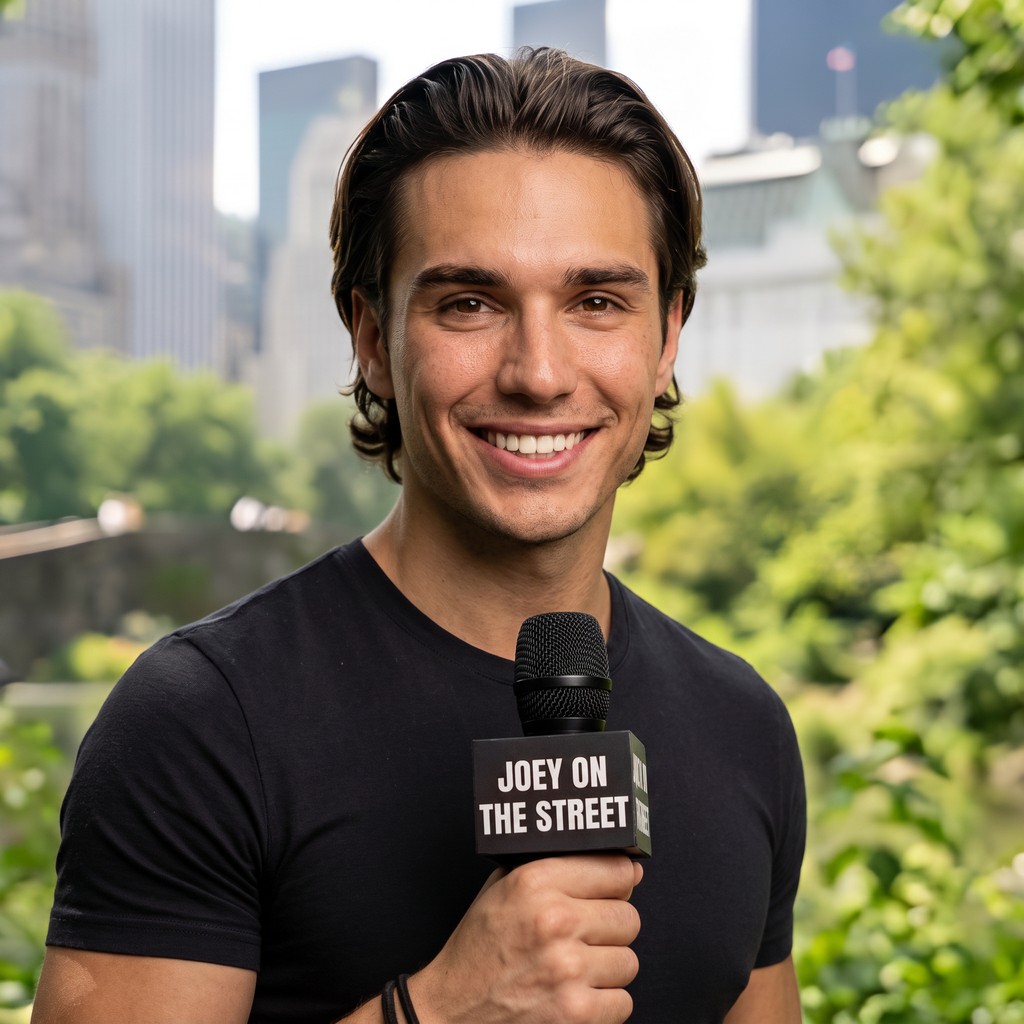
667K Joey on the Street
A recurring street-interview character whose familiar face is the hook, exactly the recognition a Shorts channel needs to get watched again and again.
 2M (Instagram)
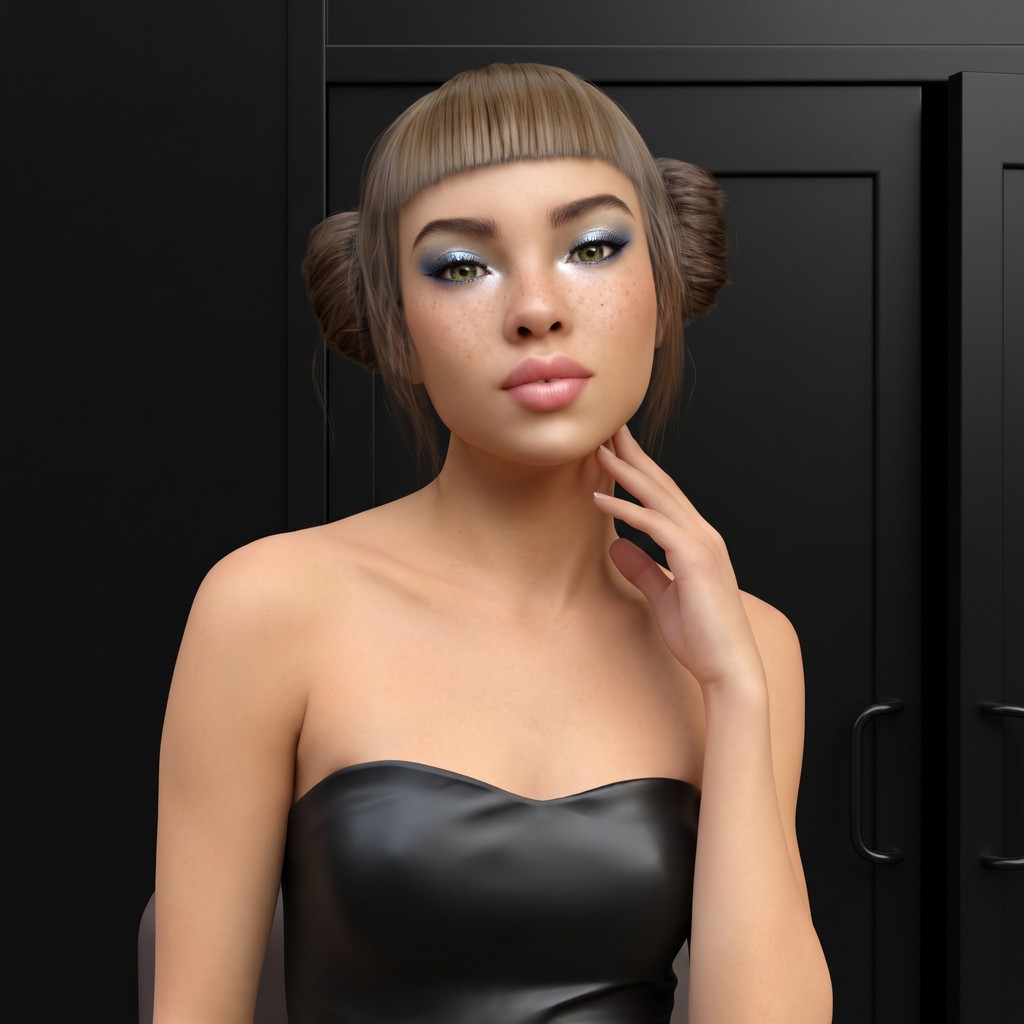
 Lil Miquela
The original AI influencer kept one look across a decade of posts, the same locked identity that lets a short-form channel compound instead of stalling.
 404K
404K Aitana Lopez
The pink hair is the brand and the face stays identical post after post, the consistency that turns a synthetic persona into a channel people follow.
 182K
182K Olivia Brand
A polished brand-host persona built to front a single channel and a single offer, the clean recurring identity short-form audiences subscribe to.
 378K (Instagram)
 Imma
Japan's first virtual model held the same pink bob and quiet aesthetic for years, the durable recognition a daily Shorts cadence is built on.
Recurring AI Host vs Generic Shorts Automation
A stack of clips is not a channel. Here is what the gap actually looks like once you try to build a Shorts channel instead of a pile of uploads.
| What you need | AvatarFactory | Generic Shorts automation |
|---|---|---|
| Same host every Short | One face and one voice locked at setup | A new face or a faceless slideshow every time |
| Recognizable channel | Viewers learn the host and subscribe | Nothing to recognize, so nothing to follow |
| Script and hook | Drafted for your niche in the host’s voice | You write every hook yourself |
| Captions | Baked into every vertical Short automatically | You add them in a separate editor |
| Output format | Publish-ready vertical 9:16 Shorts | Stock clips you have to assemble |
| On-screen presence | A real recurring host on camera | Stock footage with a robotic voiceover |
| Posting cadence | Built for daily output, minutes per Short | No publishing workflow at all |
| Monetization path | Proven income paths mapped to sibling pages | You are left to figure it out |
| You own the host | The persona is yours to keep and reuse | Reused stock anyone else can post too |
| Price and trial | $1 three-day trial, cancel anytime | Free tools that produce clips, not a channel |
Free YouTube Shorts AI Generators vs a Recurring AI Host
The two questions creators search before starting: can a free tool do this, and what about YouTube’s own AI. Straight answers below.
Can I use Veo 3 or YouTube’s built-in AI tools for Shorts?
Yes, you can. Veo 3 and YouTube’s built-in AI tools generate impressive one-off clips inside Shorts. What they do not give you is a recurring host. AvatarFactory locks one face and one voice, writes the script, bakes in captions, and keeps the same host posting daily. Clips come from many tools. Channels come from one.
Curious what the model itself does well? See our breakdown of Veo 3.1, then come back for the host.
What about the free generators?
Free Shorts generators produce a clip, and that is the whole product. A different face every prompt, no script drafting, no captions, no cadence. That is fine for testing an idea. It never becomes a channel, because there is nothing for a viewer to recognize and follow. AvatarFactory starts at $1 for a three-day trial and runs the channel end to end.
When creators compare these tools on Reddit, the same six things come up every time: cost, watermarks, avatar consistency, captions, script quality, and whether the tool actually runs a channel instead of producing one clip. That checklist is the comparison table above in one sentence: a locked host, drafted scripts, baked-in captions, publishable trial output for $1, and a daily workflow. The channel version of this playbook lives on faceless YouTube channel AI, the full build is in our faceless YouTube with AI guide, and the platform-agnostic overview lives on the AI avatar generator page.
How Much Can a Faceless Shorts Channel Earn?
Be honest. The income comes from the offer behind the channel, not the view count alone, and there are no guarantees. What we can do is show the ranges real faceless and AI creator accounts report in this category, so you can size the opportunity yourself.
A faceless Shorts channel in a focused niche at lower volume, usually from one digital product or a handful of affiliate links. Margins are high because production costs are near zero once the host exists. No shoot, no studio, no talent to pay.
Channels that have built real trust and a clear offer. A host selling a $10 to $50 ebook to a built audience, stacking affiliate income and the Shorts ad share, lands here. The lever is the niche, the offer, and the cadence, not luck.
The top short-form creator accounts in this category report far higher, driven by a strong offer and heavy daily volume rather than follower count alone. Treat those as the far end of the curve, not the middle, and not a promise.
Treat every number as a range, not a promise. The pattern that holds is simple: build a recognizable host on a steady cadence first, then put a real offer behind it. The full breakdown of every income path lives on make money with AI influencers, and the full channel build is in our faceless YouTube with AI guide.
Common Questions Before You Start
The three things people ask right before they build their first Shorts host.
Do I need a camera or editing skills?
No. You never appear on camera and you never open an editor. The avatar performs the script in its locked voice and the captions are baked into every vertical Short automatically. The whole job is picking a host, choosing a niche, and approving the words. If you can type a sentence, you can publish a finished Short.
Can AI avatar Shorts actually get monetized?
Yes. AI generated Shorts can earn through the YouTube Partner Program when they show real creative direction and provide value, not low-effort repetition. Most creators stack the ad share with their own products and affiliate offers, because the channel audience is what really pays. Label the content as AI to stay in good standing.
Will the host really look the same every time?
Yes, and that is the point. The face and the voice are locked at setup and stay identical from your first Short to your thousandth. One-off tools drift with every prompt and stock automation has no host at all, which is why those channels never build recognition. A locked host is exactly what turns scattered uploads into a channel people follow.
Figures reflect what real AI creator accounts report in this category. Your results depend on your niche, offer, and consistency.
Build your Shorts channel today.
Design one recurring host, let AvatarFactory write the script and render the captioned vertical Short, and upload your first video today. 100K+ creators are already running recurring AI personas. Your turn.
$1 for 3 days. Cancel anytime. Host in about 5 minutes, first Short in about 3.